
Disclaimer:
Please note: Git sync attempts to synchronize your data easily and reliably to a Git repository. Using multiple Looksyk installations in parallel and with little opportunity to synchronize can lead to editing conflicts, potentially hiding some changes in an old git-commit since Looksyk always tries to commit changes and merge afterwards.
It may well be that you know of a sync tool that delivers better results for your use case.
Git Modes
Availability by platform
| Mode | Linux | Windows | Docker | Android |
|---|---|---|---|---|
| BuiltIn (recommended) | ✅ (Either a system keychain must be available, or the environment variables for the key file must be set) | ✅ | ✅ (SSH keys must be correctly set up.) | ✅ |
| System | ✅ (if git is installed and configured) | ✅ (git binary is packaged) | ✅ (if environment variables are set) | No |
Comparison
- BuiltIn (recommended): A git implementation that is directly compiled into the application. It uses HTTP-Auth (Username + via Personal Access Token (PAT) or password). Looksyk tries to store the key into the system keyring (e.g. Windows Credential Manager or GNOME Keyring). If no keyring is available, it can store the username and the PAT in an encrypted file. To enable this mode, you have to provide the following two environment variables:
- LOOKSYK_KEYRING_LOCATION: The location where the encrypted file with username + PAT is stored aswell as the NONCE (needed for encryption, rotates on every credential-change)
- LOOKSYK_KEYRING_KEY: The encryption passphrase. Needs to be a random 32 character key.
- System:Looksyk uses the installed git on the system. It can access the configured ssh keys. Interactive modes are not supported.
Configuration Parameters
- Git Repository URL: The URL of the Git repository to synchronize with. This can be an HTTPS or SSH URL, but the git commands must be able to access the repository without user interaction (e.g. password prompt). If you don't know how to configure that, please use the builtin-git (that manages internally the personal access token (PAT)).
-
Conflict Resolution Strategy: The strategy to use when a conflict occurs during synchronization. The following strategies are available:
- Use remote changes (theirs): This strategy will discard local changes and use the changes from the remote repository.
- Use local changes (ours): This strategy will discard remote changes and use the local changes.
-
When running migrations, require update graph to be run successfully before
- Yes: When Looksyk is updated and wants to run migrations, it will first check if the graph is up to date with the remote repository. If the remote repository is not accessible (e.g. no internet connection), the migrations will not be run.
- No: Looksyk will run migrations regardless of whether the graph is up to date with the remote repository or not. This may cause merge conflicts, when another Looksyk application already migrated the graph to the new version.
Usage
After connecting to the Git repository, the sidebar displays the current state of the graph. It can be viewed without changes (first image) or with local changes (second image). Clicking the sync icon loads changes from the remote repository. Clicking the graph icon makes a commit and attempts to upload the changes to the remote repository (pulling them first if necessary).
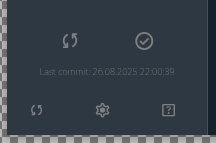
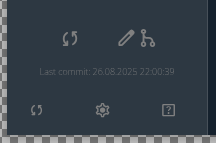
Looksyk tries to create meaningful commit messages based on the changes made to the graph.
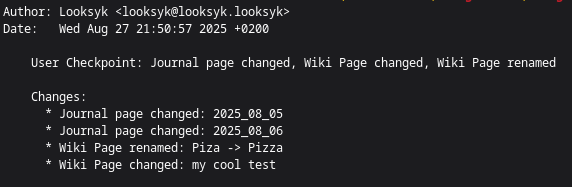
If a conflict occurs during synchronization, the configured conflict resolution strategy will be applied.
Since Looksyk tries to commit before every merge, it is possible to revert to previous states of the graph using Git tools.
In addition to this manual execution of pull, commit and push, Looksyk also tries to automatically update the graph at certain points in order to reduce conflicts.
The following events lead to Git actions:
- When Looksyk starts, it will attempt to pull the latest changes from the remote repository.
- When Looksyk is closed, it will attempt to commit and push any local changes to the remote repository.
- When Looksyk wants to run migrations (e.g. after an update), it will first attempt to pull the latest changes from the remote repository. If the current graph contains unchecked changes, a commit is made. Then the migration is executed, committed, and all the changes are pushed.
Behavior of Looksyk using git
- When Looksyk tries to update the graph and there are incoming changes from the remote repository, Looksyk commits local changes. In the case of a merge conflict, all information will remain in the git-history
- Looksyk does not care about branches. When the sync gets initialized, it will use the default branch. The default branch can be anything, Looksyk does not care about the naming
- If you want Looksyk to use another branch, just change the branch manually in the graph-folder. Looksyk does not care or check, if the branch has changed. Please make sure the banch can be pushed and pulled.
- Looksyk does not create tags or releases in the git repository
- The following settings are applied, when Looksyk initializes the git repository:
- push.default = current
- core.mergeoptions = --no-edit
- pull.rebase = false
- user.name
- user.email
- Looksyk does not delete branches or repositories